 FACEBOOK
 Google
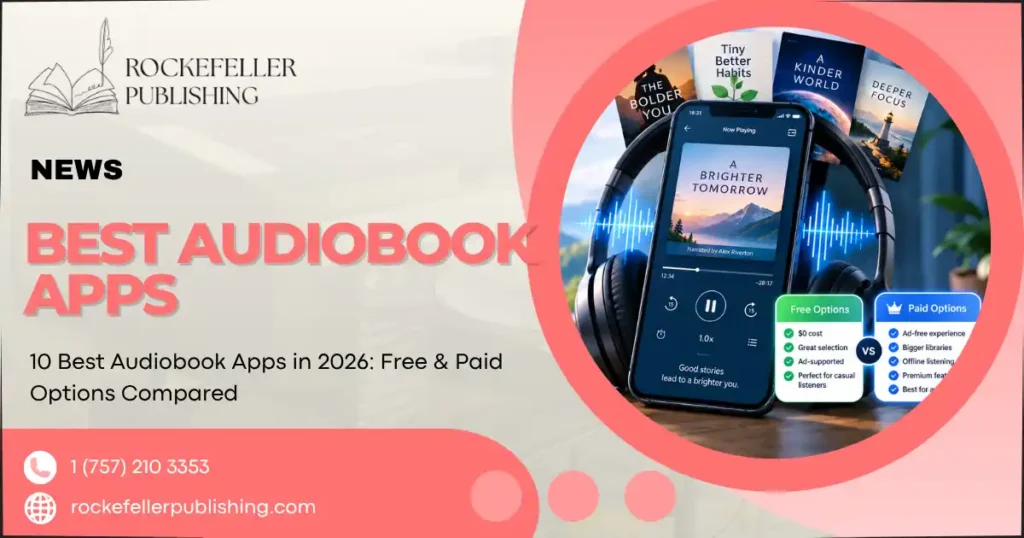
The best audiobook apps in 2026 depend on your listening habits. Audible remains the best overall audiobook subscription with the largest catalog. Libby is the best free audiobook app for library card holders, and Libro.fm is the top Audible alternative for listeners who want to own their audiobooks while supporting local bookstores. Spotify Premium subscribers get audiobooks bundled into their existing plan, while Chirp and Hoopla suit budget-conscious listeners who don’t want another subscription.
Finding the best audiobook apps can feel confusing. Audible, Spotify, Libby, Libro.fm, and a dozen other services all use different pricing models, catalog sizes, and borrowing rules, which makes comparing them side by side surprisingly difficult.
Some audiobook apps charge a flat monthly subscription. Others use a pay-per-book model, and a few are entirely free if you have a library card. Catalog size varies wildly too, and not every app offers offline listening or works equally well across iPhone and Android.
This guide breaks down the 10 best audiobook apps of 2026, comparing free and paid options so you can find the one that fits your listening style, budget, and device.
Best Audiobook Apps in 2026: Quick Comparison
| App | Best For | Free Option | Subscription | Offline Listening | Our Rating |
| Audible | Best overall | Trial | Yes | Yes | 4.7/5 |
| Libby | Best free audiobook app | Yes | No | Yes | 4.8/5 |
| Spotify | Premium subscribers | Limited/model dependent | Yes | Yes | 4.5/5 |
| Libro.fm | Owning audiobooks | No | Yes | Yes | 4.6/5 |
| Everand | Audiobooks + ebooks | Trial | Yes | Yes | 4.4/5 |
| Chirp | Discounted audiobooks | App free | No subscription | Yes | 4.3/5 |
| Hoopla | Library users | Yes | No | Yes | 4.5/5 |
| Audiobooks.com | Audible alternative | Trial | Yes | Yes | 4.2/5 |
| Apple Books | iPhone users | App free | No | Yes | 4.4/5 |
| Kobo | Kobo and ebook readers | Trial | Yes | Yes | 4.3/5 |
1. Audible: Best Audiobook App Overall
Audible remains the best audiobook subscription for most listeners in 2026, thanks to its massive catalog, original content, and reliable app experience across iPhone and Android.
key features
Audible offers over 900,000 titles, including audiobooks, podcasts, and Audible Originals exclusive to the platform. The Audible app supports offline downloads, variable playback speed, and Whispersync syncing between audiobook and Kindle ebook editions.
Audible pricing
Audible’s new Standard plan, which launched in March 2026, gives subscribers one credit per month for $7.95, redeemable for nearly any audiobook regardless of price. A Premium Plus plan adds two credits per month plus unlimited access to a rotating selection of included titles.
Audible pros and cons
Pros: largest catalog, Audible Originals, credits roll over, works across most devices.
Cons: no permanent ownership without a credit, pricier than library-based apps.
Who should use Audible?
Choose Audible if catalog size and new releases matter more to you than cost. It’s the best audiobook subscription for frequent listeners who want first access to bestsellers.
2. Libby: Best Free Audiobook App
Libby is the best free audiobook app for anyone with a public library card, connecting directly to your library’s digital collection at no cost.
How Libby works
Libby, developed by OverDrive, lets you borrow audiobooks and ebooks using your library card number. Availability depends on your library’s licensing, so popular titles sometimes require joining a waitlist.
Do you need a library card?
Yes. Libby requires a valid library card to borrow audiobooks. However, some libraries offer digital-only cards for non-residents or students.
Libby pros and cons
Pros: completely free, large catalog through library partnerships, clean interface, offline listening.
Cons: wait times for popular titles, catalog varies by library system.
Who is Libby best for?
Libby is ideal for budget-conscious listeners and anyone who already has an active library card. It’s consistently rated among the best free audiobook apps with a library card requirement.
3. Spotify: Best Audiobook App for Spotify Premium Users
Spotify has expanded significantly into audiobooks, making it a strong pick for anyone who already pays for Spotify Premium.
How Spotify audiobooks work
Spotify audiobooks are accessed the same way as music and podcasts, through the existing Spotify app. Premium subscribers get a set number of listening hours included monthly, with the option to purchase additional audiobooks individually.
Spotify audiobook listening limits
Depending on the plan, Spotify Premium includes a monthly allotment of audiobook listening hours before additional purchases are required.
Spotify audiobook catalog
It reported more than 700,000 audiobook titles in 2026, and the platform recently introduced personalized audiobook playlists along with conversational audiobook discovery tools that help surface titles based on listening history.
Spotify pros and cons
Pros: bundled with an existing subscription, large and growing catalog, personalized discovery features.
Cons: listening hours are capped on some plans, audiobooks feel secondary to music in the app design.
Is Spotify worth using for audiobooks?
Choose Spotify audiobooks if you’re already a Premium subscriber and don’t want to pay for a separate service. It’s less ideal if you’re a heavy listener who’ll exceed the included hours regularly.
4. Libro.fm: Best for Owning Your Audiobooks
Libro.fm stands out among Audible alternatives because it lets members keep their audiobooks permanently while directing a portion of every purchase to a local independent bookstore.
How Libro.fm works
Members choose a local bookstore to support, then use monthly credits or à la carte purchases to buy audiobooks. According to Libro.fm, membership credits can be used across more than 600,000 audiobooks in its catalog.
Libro.fm membership
It confirms that membership credits do not expire, and members retain both purchased audiobooks and any unused credits even after canceling their membership.
Libro.fm vs Audible
Libro.fm and Audible both use a credit-based model, but Libro.fm’s proceeds support independent bookstores. Its policy of never expiring credits gives it an edge for infrequent listeners who don’t want to lose unused credits.
Libro.fm pros and cons
Pros: supports local bookstores, credits never expire, permanent audiobook ownership.
Cons: no free tier, slightly smaller catalog than Audible.
5. Everand: Best for Audiobooks and Ebooks
Everand (formerly Scribd) bundles audiobooks with ebooks, magazines, and documents into a single subscription.
What Everand includes
Subscribers get access to audiobooks, ebooks, and other digital content types under one membership, rather than paying for each format separately.
Everand pricing
It operates on a monthly subscription model with a free trial period for new users.
Everand pros and cons
Pros: combines multiple content formats, generous trial, unlimited listening within fair-use limits.
Cons: fair-use policies can throttle heavy users, catalog depth for audiobooks is smaller than Audible’s.
Everand vs Audible
Choose Everand if you want ebooks and audiobooks in a single audiobook subscription. Choose Audible if audiobook selection and new releases are your top priority.
6. Chirp: Best for Cheap Audiobooks Without a Subscription
Chirp is one of the best audiobook apps without a subscription, focusing instead on steep daily discounts.
How Chirp works
Chirp sends daily deals on discounted audiobooks that users purchase individually and own outright, with no recurring membership fee.
Does Chirp require a subscription?
No. The Chirp app itself is free to download, and users only pay for the individual audiobooks they choose to buy.
Chirp pros and cons
Pros: no subscription commitment, frequently discounted titles, permanent ownership.
Cons: catalog depends on daily deals rather than on-demand browsing, fewer new releases than Audible.
7. Hoopla: Best Free Alternative to Libby
Hoopla is another library-based option and a strong Libby alternative for listeners whose library partners with Hoopla instead of (or alongside) OverDrive.
How Hoopla works
It uses your library card to grant instant access to audiobooks, ebooks, movies, and music, without waitlists for most titles.
Hoopla vs Libby
Hoopla typically has no waitlists since libraries pay per checkout, while Libby often requires waiting for popular titles. However, Hoopla usually limits users to a set number of monthly checkouts.
Hoopla pros and cons
Pros: no waitlists, free with a library card, multi-format library.
Cons: monthly checkout limits, catalog can feel smaller for niche titles.
8. Audiobooks.com: Best Traditional Audible Alternative
It offers a familiar credit-based subscription model similar to Audible, with over 700,000 titles and a free trial for new members.
Audiobooks.com membership
New users get a trial period that includes free audiobook credits before committing to a paid monthly plan.
Audiobooks.com vs Audible
Both platforms use similar subscription structures, but Audiobooks.com is often positioned as a more affordable Audible alternative, with promotional pricing like extended discounted periods for new subscribers.
Pros and cons
Pros: generous free trial, large catalog, familiar credit system.
Cons: fewer original productions than Audible, smaller brand ecosystem.
9. Apple Books: Best Audiobook App for iPhone
Apple Books comes pre-installed on every iPhone, making it a convenient no-subscription option for Apple users.
Buying audiobooks through Apple Books
Users purchase audiobooks individually through the iTunes Store, with no monthly membership required.
Does Apple Books require a subscription?
No. Apple Books uses a pay-per-title model rather than a subscription, making it one of the best audiobook apps without a subscription for iPhone users.
Apple Books pros and cons
Pros: built into iOS, no subscription needed, syncs across Apple devices via iCloud.
Cons: no Android app, generally higher per-title prices than credit-based subscriptions.
10. Kobo Books: Best for Kobo and Ebook Readers
It is the natural choice for anyone already using a Kobo e-reader, offering an integrated audiobook subscription alongside its ebook library.
Kobo audiobook subscription
It offers a monthly subscription plan that includes a set number of audiobook credits, plus the option to buy additional titles individually.
Kobo vs Audible
Kobo’s audiobook catalog is smaller than Audible’s. Still, its tight integration with Kobo e-readers makes it convenient for existing Kobo customers who want one ecosystem for both ebooks and audiobooks.
Kobo pros and cons
Pros: seamless integration with Kobo devices, combined ebook and audiobook subscription.
Cons: smaller catalog, less useful without a Kobo device.
Best Audiobook Apps Compared
| App | Monthly Price | Free Trial | Catalog Size | Subscription Required | Offline Listening | iPhone | Android | Ownership | Library Card Required | Best For |
| Audible | From $7.95 | Yes | 900,000+ | Yes | Yes | Yes | Yes | Credit-based | No | Overall use |
| Libby | Free | N/A | Varies by library | No | Yes | Yes | Yes | Borrowed | Yes | Free listening |
| Spotify | Included in Premium | Yes | 700,000+ | Yes | Yes | Yes | Yes | Streamed | No | Premium subscribers |
| Libro.fm | From $14.99 | No | 600,000+ | Yes | Yes | Yes | Yes | Owned | No | Supporting bookstores |
| Everand | Subscription-based | Yes | Large, mixed formats | Yes | Yes | Yes | Yes | Streamed | No | Audiobooks + ebooks |
| Chirp | Pay-per-book | N/A | Deal-based | No | Yes | Yes | Yes | Owned | No | Discounted titles |
| Hoopla | Free | N/A | Varies by library | No | Yes | Yes | Yes | Borrowed | Yes | No-waitlist borrowing |
| Audiobooks.com | Subscription-based | Yes | 700,000+ | Yes | Yes | Yes | Yes | Credit-based | No | Audible alternative |
| Apple Books | Pay-per-book | N/A | Large | No | Yes | Yes | No | Owned | No | iPhone users |
| Kobo | Subscription-based | Yes | Moderate | Yes | Yes | Yes | Yes | Credit-based | No | Kobo device owners |
Best Free Audiobook Apps
If cost is your main concern, these are the best free audiobook apps worth trying in 2026.
- Libby – Fully free with a library card, no subscription needed.
- Hoopla – Free through library partnerships, with no waitlists but monthly checkout caps.
- LibriVox – Offers public-domain audiobooks completely free, though the catalog is limited to older, out-of-copyright titles.
- Spotify – Free-tier users get limited audiobook access, while Premium subscribers get a monthly allotment included in their plan.
It’s worth distinguishing between apps that are genuinely free and apps that offer a free trial. Libby and Hoopla are free indefinitely because libraries fund the licensing costs. Audible, Everand, Audiobooks.com, and Kobo, by contrast, only offer free trials before converting to a paid audiobook subscription.
Best Audiobook Apps by Listening Style
- Best audiobook app overall: Audible
- Best free audiobook app: Libby
- Best for Spotify users: Spotify
- Best Audible alternative: Libro.fm
- Best for audiobooks and ebooks: Everand
- Best without a subscription: Chirp
- Best for iPhone: Apple Books
- Best for library users: Libby or Hoopla
Audible vs Spotify vs Libby: Which Is Best?
| Feature | Audible | Spotify | Libby |
| Price | From $7.95/mo | Included in Premium | Free |
| Catalog | 900,000+ | 700,000+ | Depends on library |
| Ownership | Credit-based | Borrowed/streamed | Borrowed |
| New releases | Extensive, day-one access | Growing selection | Subject to library licensing and waitlists |
| Offline listening | Yes | Yes | Yes |
| Best for | Frequent listeners wanting the largest catalog | Existing Premium subscribers | Budget-conscious library users |
Verdict: Choose Audible if catalog breadth and new releases matter most to you. Choose Spotify if you already pay for Premium and want audiobooks bundled in at no extra cost. Choose Libby if your priority is listening for free and you don’t mind occasional waitlists.
How to Choose the Best Audiobook App
- Consider how many audiobooks you listen to each month.
- Decide whether you want to own or borrow your audiobooks.
- Compare monthly subscription costs against pay-per-book pricing.
- Check the size and depth of each app’s audiobook catalog.
- Look for offline listening support if you travel or commute without reliable data.
- Confirm iPhone and Android support before committing.
- Consider whether you have library access that qualifies you for free options like Libby or Hoopla.
- Check for listening-hour restrictions, especially on bundled services like Spotify.
Are Free Audiobook Apps Worth Using?
Free audiobook apps are worth using, but they come with trade-offs compared to paid subscriptions.
Library-funded services like Libby and Hoopla are genuinely free because public libraries cover the licensing costs, not the user. Public-domain platforms like LibriVox are free indefinitely, though their catalogs skip modern releases entirely.
Free trials, by contrast, are a different category. Audible, Everand, and Audiobooks.com all offer free introductory periods, but these convert into paid subscriptions unless canceled. Popular titles on library apps often carry waitlists, and some free tiers include ads or limited catalog access compared to paid plans.
For casual listeners or anyone testing the waters, free audiobook apps with a library card are typically the best starting point. Frequent listeners who want immediate access to new releases will likely find paid subscriptions more practical long-term.
Frequently Asked Questions
What is the best audiobook app in 2026?
Audible is the best overall audiobook app in 2026, thanks to its catalog of over 900,000 titles, exclusive Audible Originals, and reliable app performance across iPhone and Android.
What is the best free audiobook app?
Libby is the best free audiobook app, offering unlimited free borrowing for anyone with a valid public library card.
Which audiobook app has the largest selection?
Audible has the largest audiobook selection, with more than 900,000 titles available, followed closely by Audiobooks.com and Spotify at over 700,000 titles each.
Is Libby completely free?
Yes, Libby is completely free to use, provided you have an active library card from a participating library system.
Is Spotify good for audiobooks?
Spotify is a good audiobook option for existing Premium subscribers, since audiobook listening hours are bundled into the subscription at no extra cost. However, heavy listeners may exceed the included monthly allotment.
Is Audible better than Spotify for audiobooks?
Audible is better for dedicated audiobook listeners due to its larger catalog and unlimited credit-based access. At the same time, Spotify is better for casual listeners who already pay for Premium and want audiobooks included.
What is the best alternative to Audible?
Libro.fm is the best Audible alternative for listeners who want to support local bookstores and keep credits that never expire. At the same time, Audiobooks.com is the closest traditional alternative in terms of pricing structure.
Can I listen to audiobooks for free without a subscription?
Yes, Libby and Hoopla both offer free audiobook listening without a subscription, provided you have a library card, and LibriVox offers free public-domain audiobooks with no card required.
Which audiobook app lets you keep your books?
Libro.fm, Chirp, and Apple Books all let you keep your audiobooks permanently after purchase, unlike streaming-based subscriptions such as Spotify.
What is the best audiobook app for iPhone and Android?
Audible works well across both iPhone and Android with full feature parity, while Apple Books is iPhone-only and best suited for users fully embedded in the Apple ecosystem.