 FACEBOOK
 Google
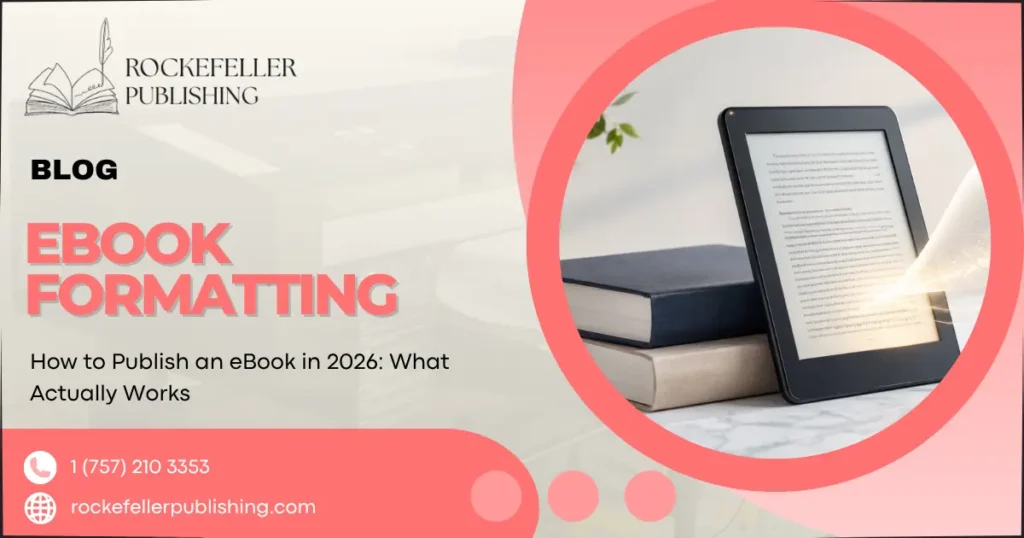
Publishing an eBook in 2026 consists of five steps.
- First, write and edit the manuscript.
- Second is technical formatting that prepares your manuscript for an accessible digital format, such as EPUB or Kindle.
- The third design step is to make a book cover that looks nice as a thumbnail.
- Fourth is distribution to sell on platforms like Amazon Kindle Direct Publishing and other retailers. To publish on Amazon Kindle Direct Publishing, you do not need an ISBN. Still, you will need it to get your eBook into other retailers like Apple Books, Kobo, and Barnes & Noble.
- The most time-consuming part of the process is not writing but rather formatting and metadata, which is why many first-time authors invest in professional editing and formatting services to get their manuscript published as an eBook faster.
Step 1: Finish and Edit Your Manuscript First
Before you touch a publishing platform, your manuscript needs to be done not perfect, but complete and edited. Skipping structural editing is the single biggest reason self-published eBooks underperform. A developmental edit checks whether your ideas or story actually hold together. A copyedit catches issues with grammar, consistency, and clarity. Proofreading is the final pass before formatting.
If you’re publishing nonfiction, this is also where you nail down your book’s core promise: what specific problem does it solve, and for whom? That promise shapes your title, your cover, and your marketing copy later on.
Step 2: Format Your File for Digital Reading
An eBook isn’t a Word document with a cover slapped on. Readers view eBooks on phones, tablets, and e-readers with wildly different screen sizes, so your file needs reflowable text that resizes cleanly rather than breaking mid-sentence.
Most authors format in one of two ways:
- EPUB, the standard format most retailers (Apple Books, Kobo, Google Play Books) accept
- KPF or MOBI-derived formats, which Amazon KDP now generates automatically from an EPUB or Word upload
Common formatting mistakes include inconsistent heading styles, images that don’t scale, and missing front matter (title page, copyright page, table of contents). These seem minor until a reader hits them on page one.
Step 3: Design a Cover That Works as a Thumbnail
Your cover’s most important job in 2026 isn’t looking good at full size; it’s staying readable as a tiny thumbnail on a search results page or a phone screen. Bold typography, strong contrast, and genre-appropriate imagery matter more than intricate detail. If your title disappears at thumbnail size, readers will scroll past it.
Step 4: Choose Your Publishing Path
This is where self-publishing vs. traditional publishing decisions are actually made, and it’s worth being clear-eyed about the trade-offs.
- Self-publishing (through Amazon KDP or a multi-platform distributor) gives you full creative control, faster timelines, and higher royalty percentages, often 35–70% depending on pricing and platform. You’re also responsible for every task: editing, formatting, cover design, and marketing.
- Traditional publishing means submitting to agents or publishers, which can take months or years and involves giving up some creative control, but comes with an existing team and distribution network.
- A hybrid path self-publishing with professional support for editing, formatting, and design has become increasingly common among nonfiction and business authors who want quality without the traditional-publishing timeline.
Step 5: Set Up ISBN, Metadata, and Distribution
You do not need an ISBN to publish an eBook through Kindle Direct Publishing; Amazon assigns its own identifier. If you want your book available through Apple Books, Kobo, Barnes & Noble, or libraries, you’ll typically need an ISBN, which you can either purchase individually or get through a distributor package.
Metadata your title, subtitle, description, categories, and keywords determines whether readers can actually find your book once it’s live. This step gets rushed constantly, and it’s one of the most fixable mistakes on this list.
Where First-Time Authors Usually Get Stuck
In practice, the writing rarely stops people. The stall points are almost always:
- Formatting errors that only show up after upload
- Choosing the wrong trim size or file type for a given platform
- Cover designs that look fine on a laptop but fail as a thumbnail
- Metadata and category choices made without research
None of these require you to rewrite your book. They require attention to technical detail, which is exactly the kind of work that’s easy to outsource once you know it’s where the friction actually is.
What Readers Should Know
Publishing an eBook is genuinely more accessible in 2026 than it’s ever been. That accessibility is also why competition for reader attention has increased; a technically clean, well-formatted, well-described book has a real advantage over one that was rushed to publish. If you’d rather have professional eBook writing and publishing support handle the technical stages while you focus on your message, that option is available at every step, from manuscript to launch, including dedicated editing and proofreading support for authors who need that one piece done right.
Publishing Is Only Half the Job
Getting your eBook live is a milestone, not the finish line. Readers still need a way to find you and a reason to trust you before they buy. A few areas worth planning for before launch day:
- A home base for your work. Building your author website gives readers somewhere to learn about you and your book beyond a single retailer listing.
- A recognizable presence. Building your author brand helps readers connect with the person behind the book, not just the title.
- A direct line to interested readers. Building your launch email list means you’re not relying on algorithms alone to reach people on launch day.
- Conversations, not just posts. Podcast marketing for authors lets readers hear your voice and your reasoning before they commit to buying.
- Consistent visibility. Social media strategies for authors can keep your book in front of readers well after launch week ends.
None of this needs to happen simultaneously with publishing, but starting even one of these before your eBook goes live puts you ahead of most first-time authors.
Conclusion
Publishing an eBook comes down to five manageable stages: writing, editing, formatting, cover design, and distribution, but the technical steps in the middle are where most first-time authors lose momentum. Whether you handle every stage yourself or bring in professional support for the parts outside your skill set, understanding where the real friction lives is the difference between a book that stalls in your drafts folder and one that actually reaches readers. Turn your idea into a professionally published eBook. Get your free consultation today.
Frequently Asked Questions
Do I need an ISBN to publish an eBook on Amazon?
No. Amazon Kindle Direct Publishing assigns its own free identifier (ASIN). You only need a purchased ISBN if you want distribution through other retailers, such as Apple Books or Barnes & Noble.
How long does it take to publish an eBook?
Once your manuscript is finished and edited, formatting, cover design, and platform setup typically take a few weeks. The manuscript stage itself varies widely depending on the length and the amount of editing it needs.
What’s the difference between self-publishing and traditional publishing for an eBook?
Self-publishing gives you full control, faster timelines, and higher royalties, but puts all the tasks on you. Traditional publishing provides an existing team and distribution network in exchange for a longer timeline and less creative control.
Can I publish an eBook without writing experience?
Yes, but you’ll likely want editing support. Many first-time authors work with a ghostwriter or editor to shape raw ideas into a structured, publish-ready manuscript.
Which file format do I need for Kindle Direct Publishing?
KDP accepts EPUB and Word documents and converts them automatically. A clean EPUB file with consistent formatting generally converts more reliably than a Word document.