 FACEBOOK
 Google
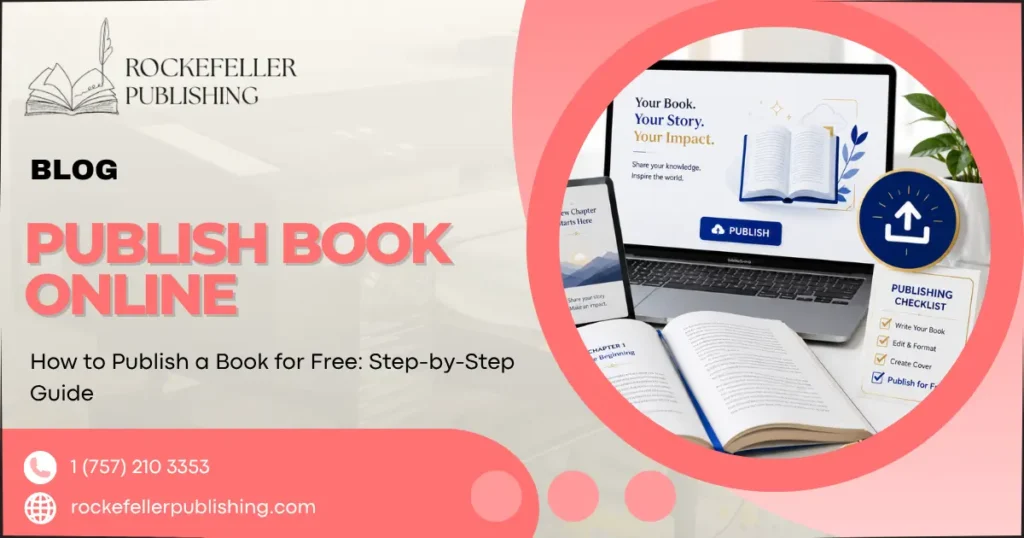
To publish a book online for free, look into KDP, Draft2Digital, and Smashwords. All you need is a manuscript, cover, and digital file.
There are many reasons why self-publishing has appealed to more and more authors over the years. Most self-published authors make more money while having more control over their work, all in a shorter timeframe than the traditional route.
This guide is the one-stop shop for authors looking to learn the benefits of free self-publishing and the process of the free publishing platforms, as well as the strategies to market a self-published book.
Why Choose Free Self-Publishing?
Authors are looking to self-publish for faster time to market, more creative control, and more money per sale. Authors publish their work on Amazon KDP and retain all of the rights to their books to earn royalty rates of up to 70% as opposed to the 10-15% royalty rates that authors traditionally negotiate and accept.
Here are more reasons self-publishing is appealing to authors:
- Creative control: You choose your title, and set your price and cover all on your own. Traditional publishing requires lots of hands-on approval.
- More money per book sold: The author of a self-published book sells their book for more money and sees greater profit after the publishing fees are covered.
- More readers in less time: Self-publishing cuts out the months of waiting for a publisher with their gate-keeping to make a decision.
Success inspires belief. Andy Weir self-published The Martian online for free. Then it became a bestseller, a Hollywood blockbuster, and launched his career as a well-known author.
What You’ll Need Before You Publish
Before you publish your book, you will need to complete three things: a publish-ready manuscript, an attractive book cover, and a properly formatted file.
A publish-ready manuscript means using free tools to check for spelling mistakes and/or sentence structure. Something like Grammarly is a great first edit tool. There are plenty of free book cover templates available on Canva. This book cover can be customized based on the author’s preferences, regardless of any prior design experience. Lastly, there are many free tools for formatting manuscripts into files appropriate for download as eBooks (EPUB) or printed (PDF) books.
You can also invest money to fund a more professional manuscript or choose to go with the free route. Free book cover and manuscript formatting tools have been used to successfully produce many self-published books that made it to the top of the bestselling list.
Step-by-Step: How to Publish a Book Online for Free
Your manuscript is almost a book! Here are the 4 steps to take to get your book published at no cost.
Step 1: Prepare and Format Your Manuscript
The formatting of your book will determine your book’s professionalism and how good it looks to the readers. If you do not properly format your book, your audience can potentially be very unhappy and leave a bad review. To prevent this, there are many free formatting tools, like Reedsy Book Editor or Kindle Create, that automatically provide a clean and professional format ready to be uploaded.
Step 2: Design an Eye-Catching Cover
Designs quickly sell books in a marketplace with thumbnail browsing. Covers display genre, quality, and style. Free design programs, with the addition of hundreds of book cover templates, include Canva.
With Canva and other similar programs, you can choose an appropriate design and include title text that is large, bold, and legible.
Step 3: Choose a Free Publishing Platform
Publishing platforms that do not come with a cost are harder to choose based on alternative factors (e.g., royalty expectations). Amazon KDP (Kindle Direct Publishing) claims the largest audience of readers. At the same time, Draft 2 Digital and Smashwords will distribute your work to many different retailers after a single publication upload.
| Platform | Royalties | Distribution Reach | Best For |
| Amazon KDP | Up to 70% | Amazon Kindle Store + print | Authors prioritizing the largest single marketplace |
| Draft2Digital | Up to 60% | Apple Books, Kobo, Barnes & Noble, and more | Authors wanting wide distribution with easy formatting |
| Smashwords | Up to 80% (via store) | Multiple retailers and libraries | Authors seeking broad reach and library distribution |
Based on your audience expectations and expectations for your work, Amazon KDP is best suited for authors who are looking for the widest audience, while Draft2Digital and Smashwords are for authors who are looking to reach multiple retailers without a single, separate publication upload for each retailer.
Step 4: Upload and Publish
Upon completion of your files, publishing is as simple as setting up an account and publishing your file as a manuscript along with a cover file and description, selecting categories and other keywords, and setting a price. If you decide to publish a paperback, select the print-on-demand option to have copies published via requests.
How to Market Your Book Without Breaking the Bank
Publishing is one part; selling is the other, and the need to find your audience remains. Free and budget-friendly marketing will allow you to build an audience.
- Social media: Connect with readers and share about your writing on the platforms your readers use the most.
- Email List: Build an email list for launch announcements, special offerings, and book releases.
- Reviews: Enable early access to the book to acquire an initial review. Reviews assist in improving visibility and credibility on major publishing networks.
As your audience grows, you can utilize paid book publishing and marketing services to maximize your product exposure to an even larger audience.
Common Mistakes to Avoid
Avoid the following self-publishing mistakes to increase your book’s chances for success:
- Skipping professional editing or proofreading: Even free tools exist. Yet, reviewers often trash unpublished books.
- Neglecting keyword and category selection: Publishing platforms help users discover your book with their publication services.
- Ignoring marketing after launch: Your great book will remain undiscovered.
Frequently Asked Questions
Is it really free to publish a book online?
Yes. Publishing networks such as Amazon KDP, Draft2Digital, and Smashwords have zero publishing costs. They will ultimately charge commission for each book sold.
How long does it take to self-publish a book?
Self-publishing a book is generally quick. After your manuscript is ready, it usually only takes a few hours or a couple of days to publish with the major services, and Amazon KDP is known to complete and publish books in under 72 hours.
Do I keep the rights to my book when I self-publish?
Yes. As long as you’re self-publishing through a free publishing service, you keep the rights to your book. This means you can publish your book through various services, set your own price for the book, and make changes whenever you want.
Can I make money publishing a book for free?
Yes. It is true that a large portion of the giant tech companies offering ‘free’ self-publishing services actually pay authors royalties as a means of profit. On average, author royalties are set at 70% by Amazon KDP, among other free publishing services. A book’s royalty and profit depend on its price, sales volume, and marketing efforts.
Start Publishing Your Book Today
With the ease of the internet and the availability of several self-publishing services, it is easier and cheaper than ever before to publish your book internationally. All you need is a completed manuscript, a cover, and a book publishing service.
Prepare your manuscript and get your publishing service in order to get started. For extra support, consider other writing and publishing services or download a checklist for self-publishing to help you stay organized.